Want to take your business online? Looking for a safe, secure and fast hosting provider for your website? OmabraHost offers reliable web hosting and domain registration services at very affordable prices. In this article we shall see how to make an order for domain and hosting in omabrahost.
Open the site at omabrahost.com
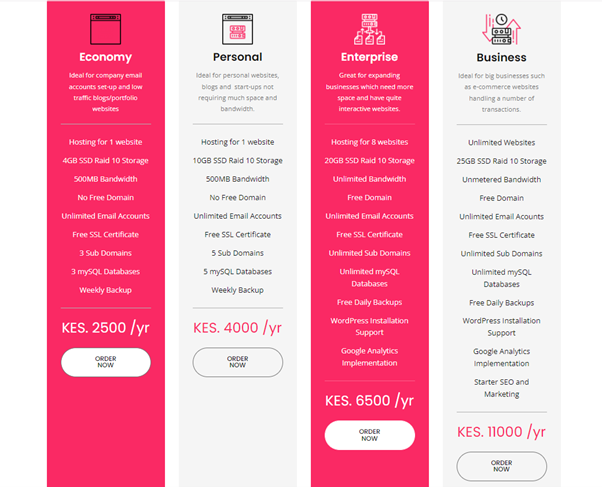
Click on one of the provided packages (Click on the order now button).
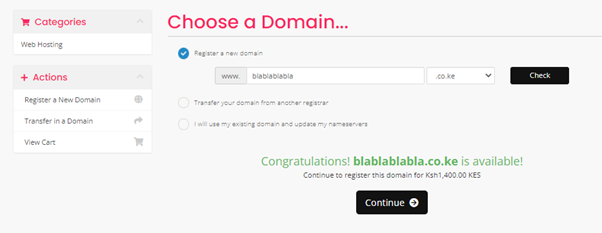
After that you will be taken to a page which lets you select a domain to add to the package which you have selected as shown below. Write the domain name you would like to have and click check to ensure that the name is available.
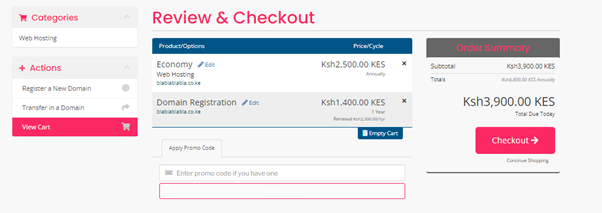
Then click continue to move to the next point. Once you click continue you shall be directed to a page which has the total amount of payment expected. Click on check out so as to move to the check out stage.
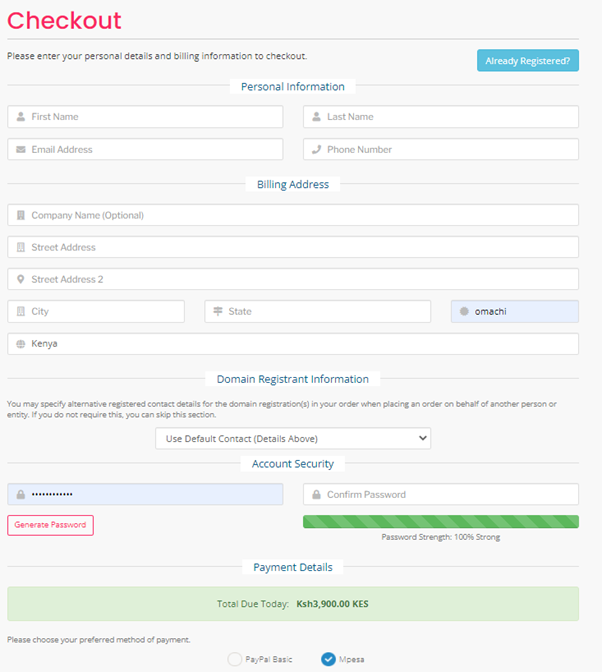
One the check out button has been clicked you shall be directed to a page which requires for account creation for non-registered members. There is an already registered button for clients who are already registered. Ensure to select the right payment method and include the right details including a strong enough password for your account. Ensure that the details provided are accurate then click on complete order at the bottom of the page.
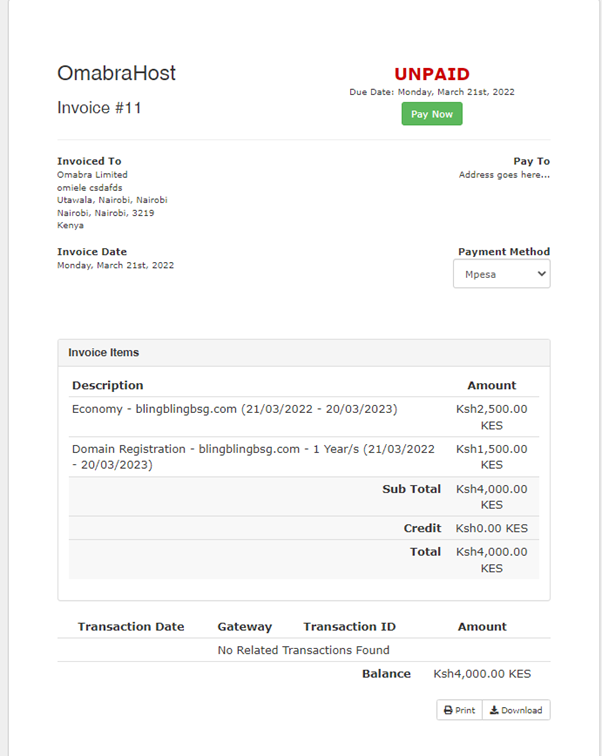
Once that done you will be led to a page with an invoice reading unpaid. Make the necessary payment buy clicking on the Pay Now green button. You will receive a confirmation to pay using your phone whose number you provided on the details. Make the payment and once received all the required cpanel details will be sent to you. Enough time should be allowed for propagation before accessing the cpanel.
Once all these is done then you are good to go and can easily launch your site. Our client support is always available thus you can always contact us via the chat or by submitting a ticket and we shall assist appropriately.